
YouTube Producer
PRE // STREAM START-UP
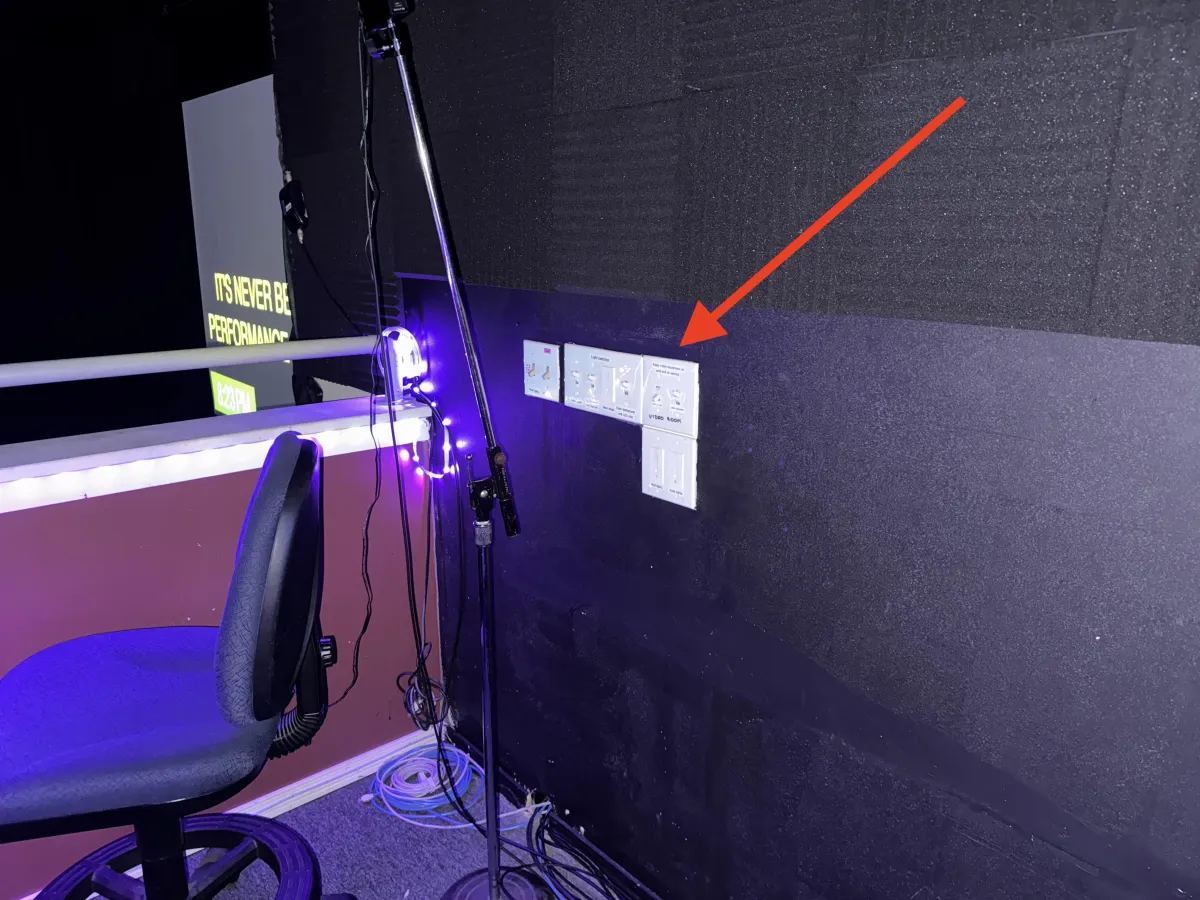
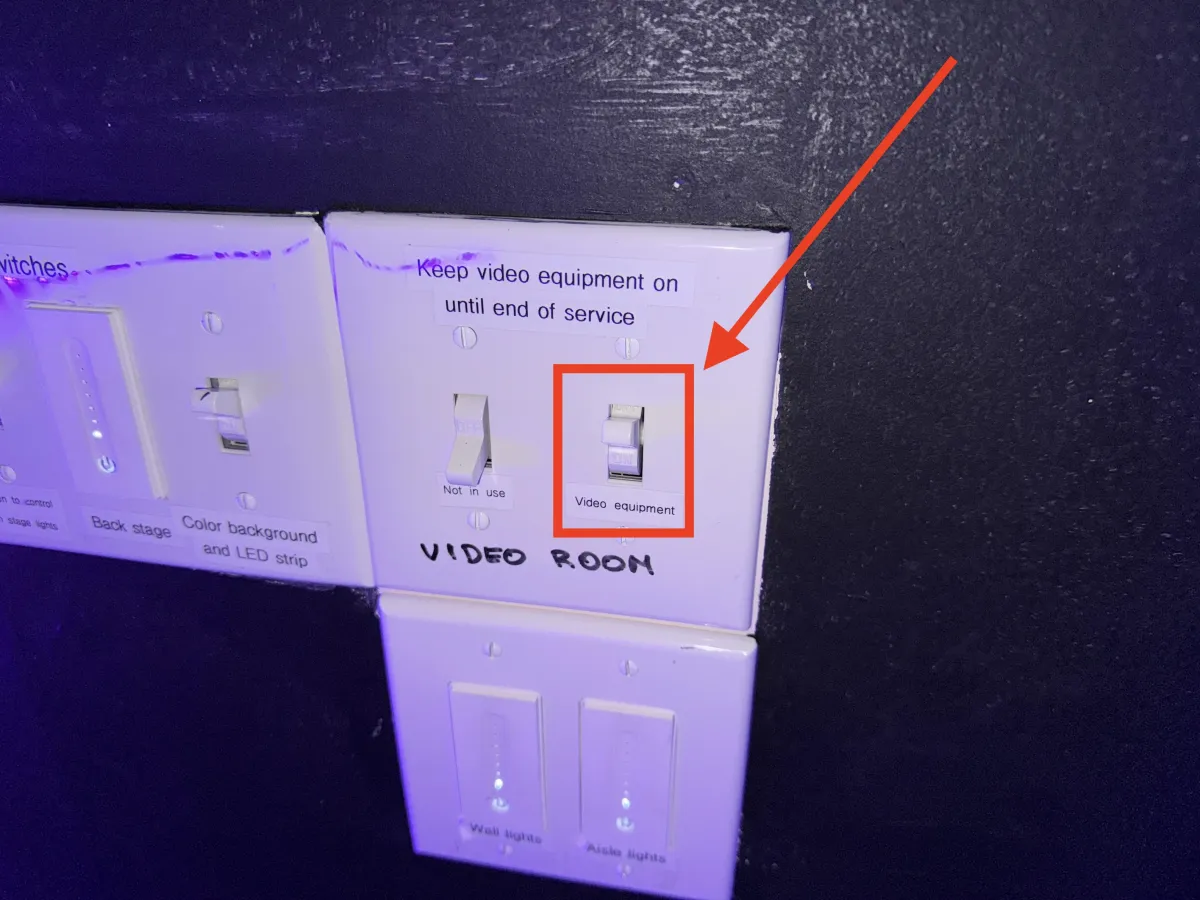
1. Turn off and then turn on video equipment on the wall using the switch with the Video Room label. Switch must be facing up for the it be ON.
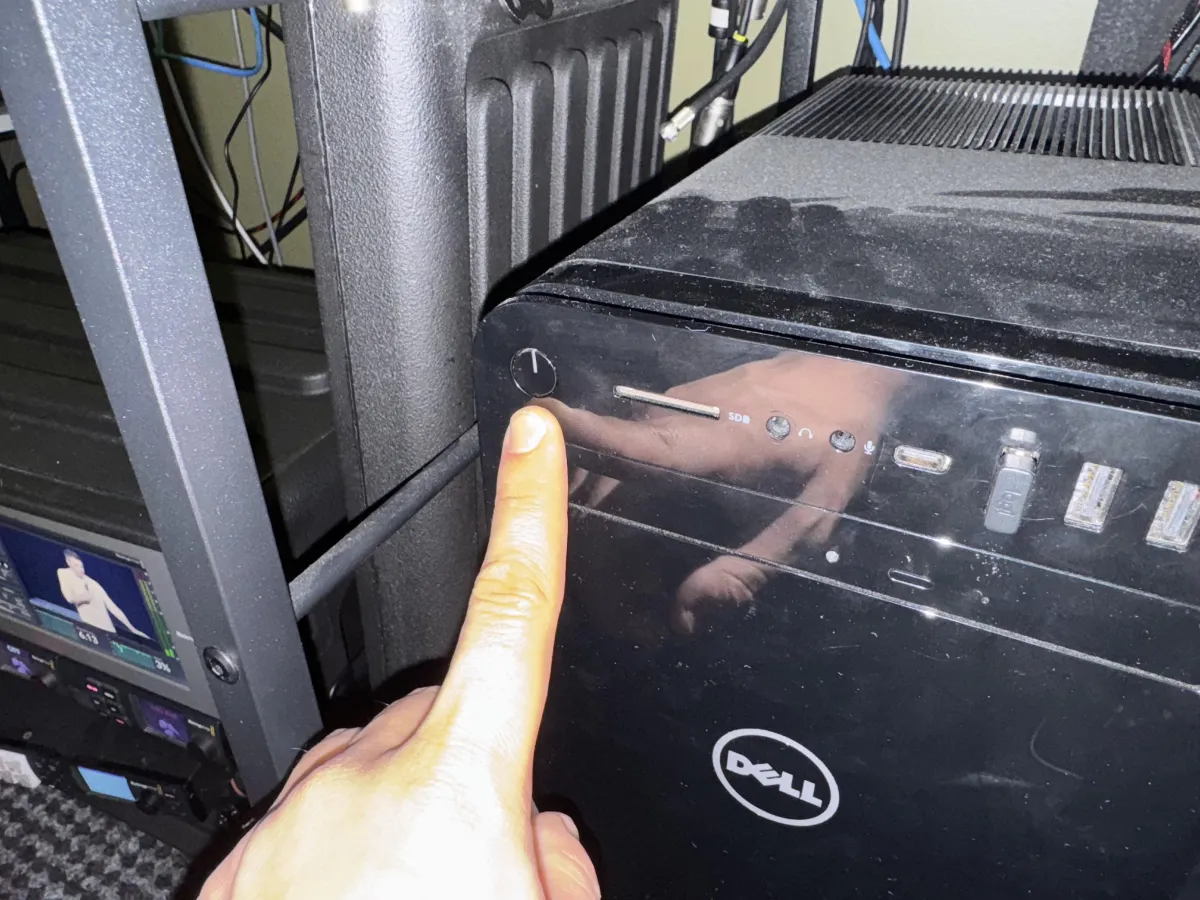
2. Turn off and then turn on the streaming PC
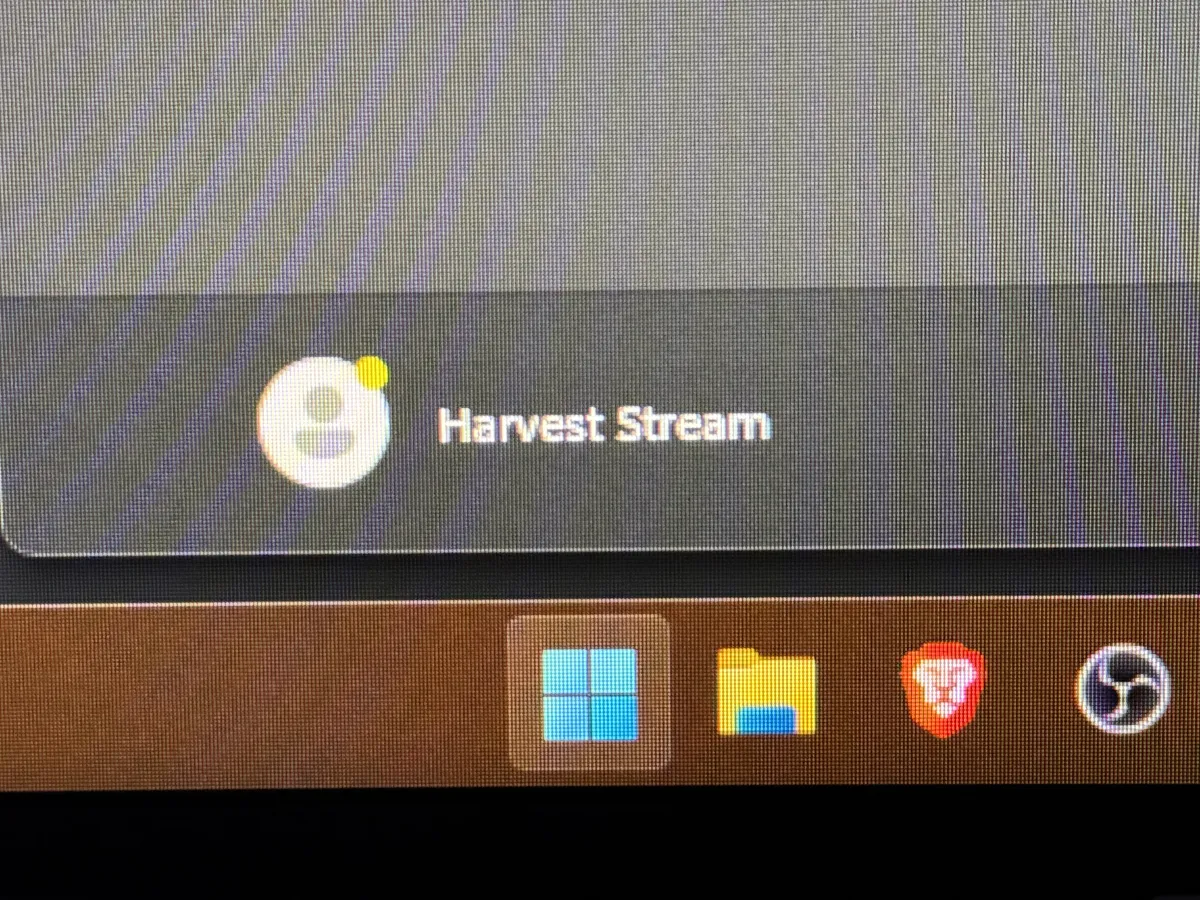
3. Login into Harvest Stream user using this password: harvest-reverb
4. Open Brave, click on the HungryGen profile

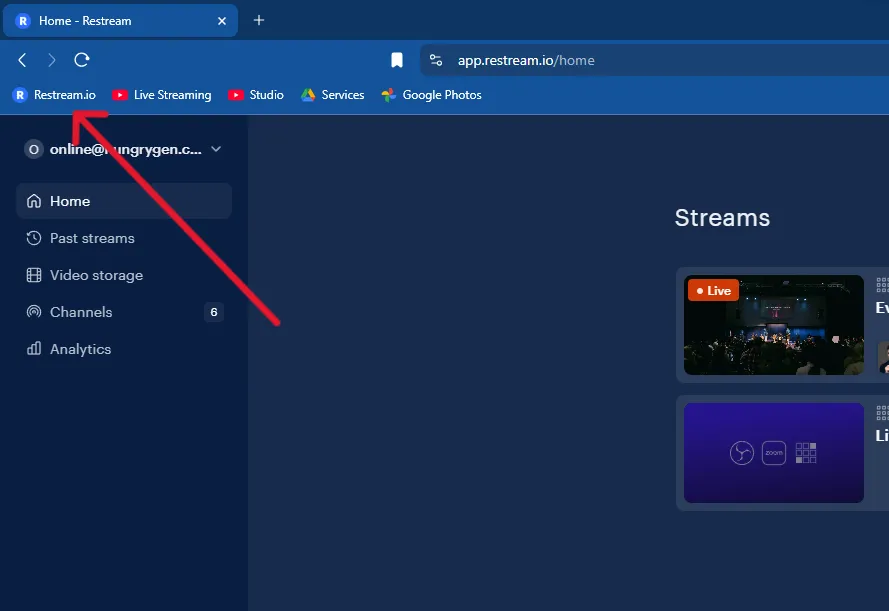
5. Click on the Restream.io bookmark
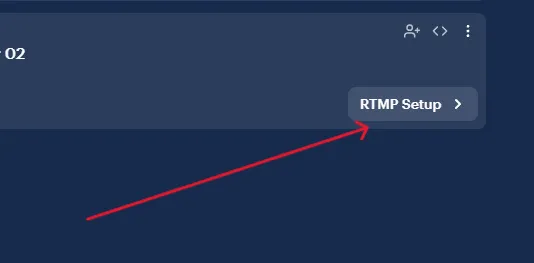
6. Click on the RTMP Setup of the scheduled stream. The Stream should already be scheduled by the previous person. It will have the date of today's stream.
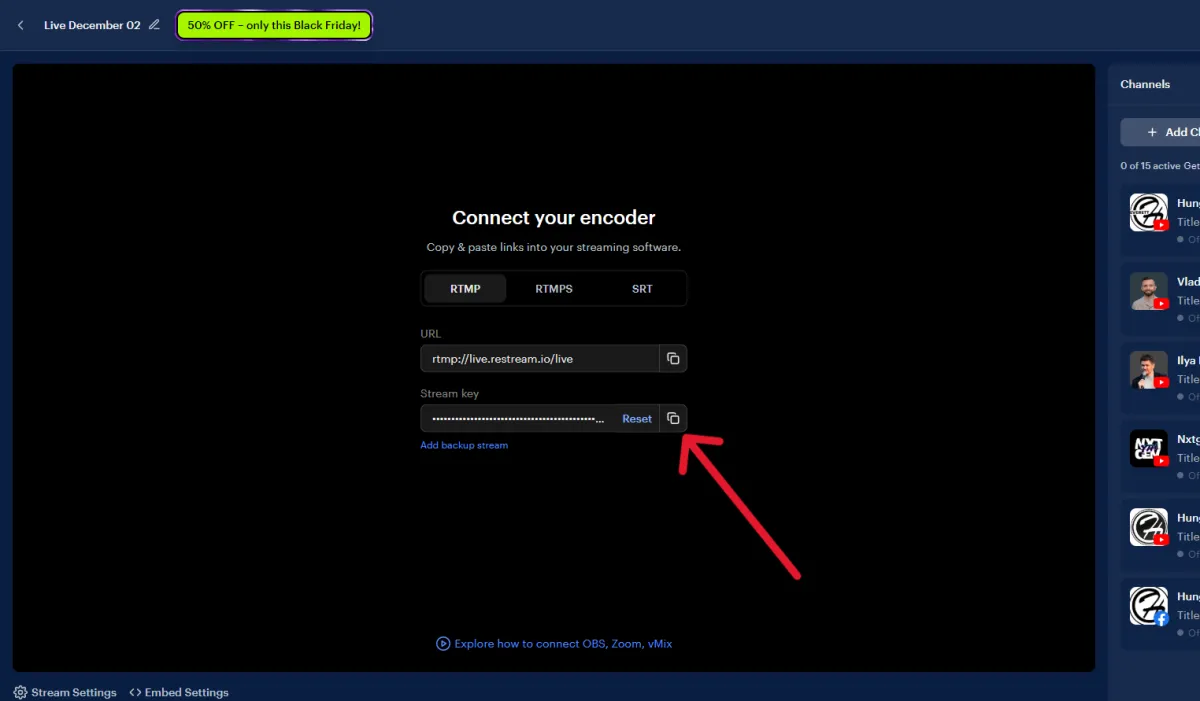
7. Copy the Stream Key
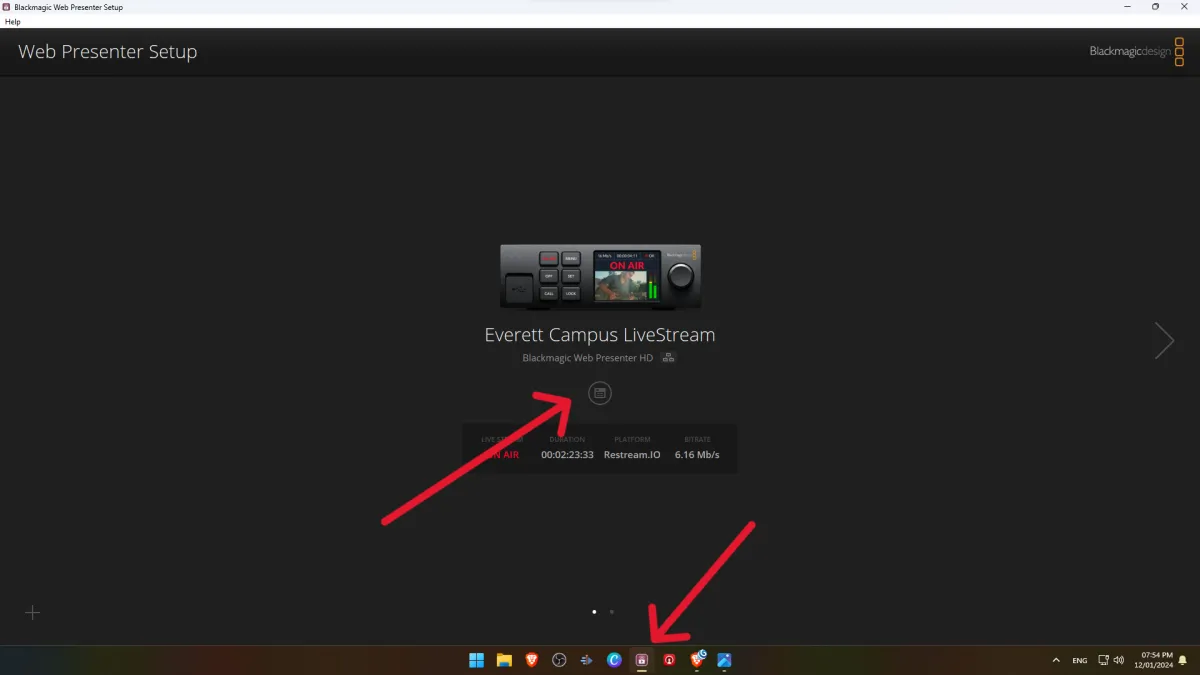
8. Open Blackmagic Web Presenter Setup in the dock and click on the grey round icon in the middle of the screen
9. In the Key section of the Live Stream tab, replace old Stream Key with the one you just copied from Restream.io
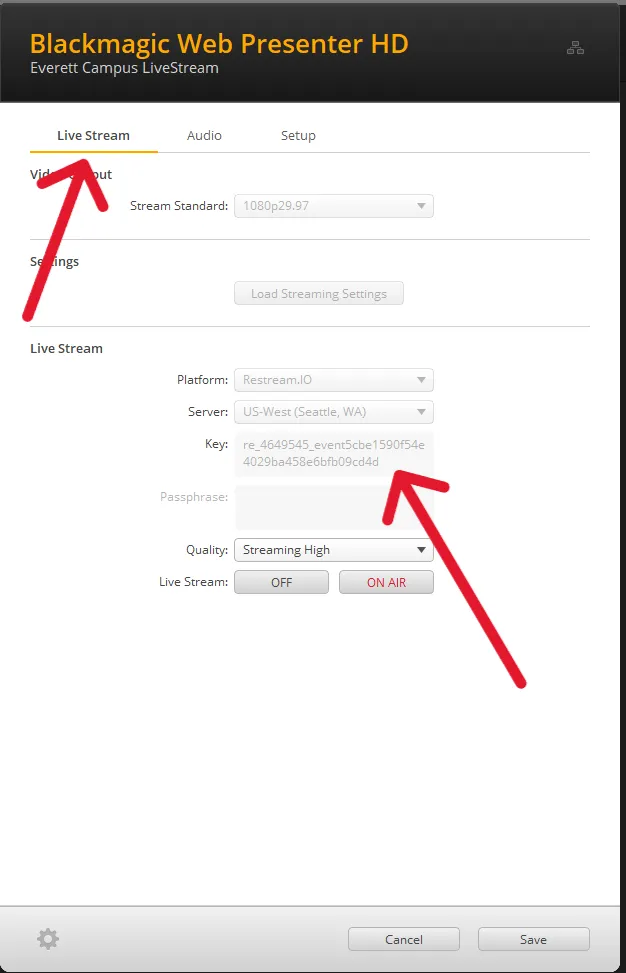
10. Press ON AIR only when the countdown timer begins playing in the Program window of the switcher. This happens at the beginning of the service.